
Your Cart
Loading

BeatHalf - Half-Time Machine for Ableton Live | Max for Live

On Sale
$9.00
$9.00
Added to cart

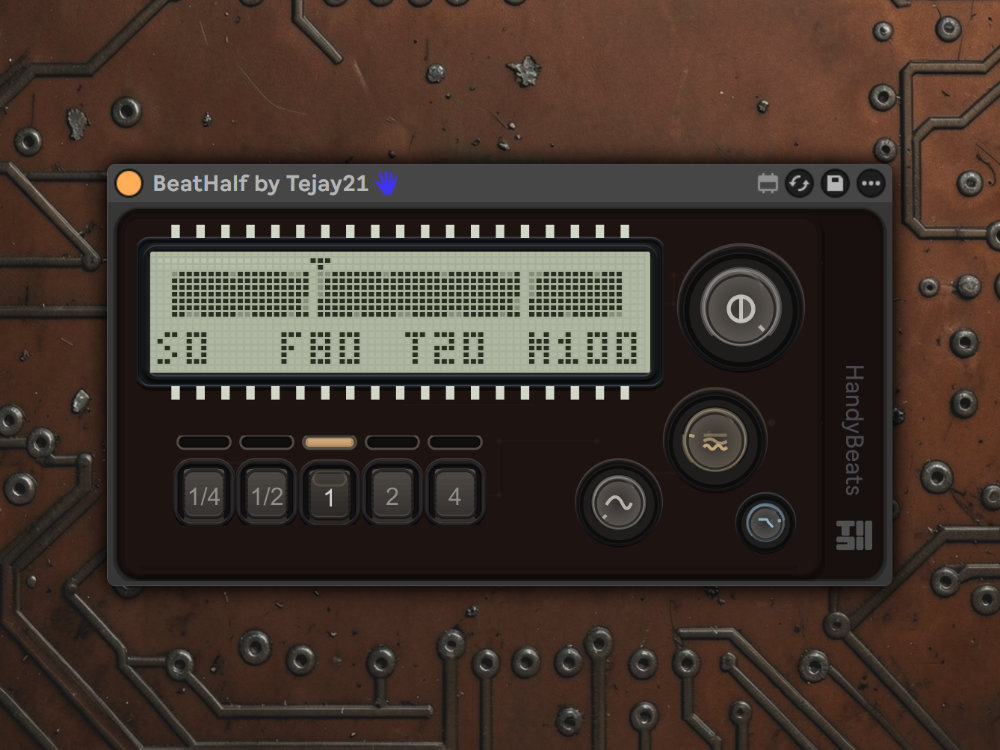
BeatHalf is a Max for Live half-time effect that plays audio at half speed in real time. Tempo-synced, dual-head crossfade, texture engine, and animated LCD.
You will get the following files:
  • AMXD (123KB)
  • PDF (192KB)
  • PDF (545KB)

Customer Reviews

There are no reviews yet.

Live Product / BeatHalf Creative / $9

Instant half-time for Ableton Live.

BeatHalf is part of the HandyBeats Series. It plays your audio at half speed the moment you load it - no buttons, no setup. Shape the crossfade with Smooth, layer harmonic depth with Texture, tame the highs with Focus, and set the loop length with Range.

01 / Action

See it in action

Load BeatHalf and hear half-time instantly - then shape Range, Smooth, Texture, and Focus.

02 / What

What BeatHalf does

BeatHalf captures incoming audio into a buffer and plays it back at half speed, perfectly synced to your DAW tempo. Two crossfading read heads loop seamlessly with zero clicks or gaps.

Drop it on a drum bus, synth, vocal, pad, or full mix and hear the half-time effect immediately.

03 / Why

Why it feels different

Load it, hear it No activation button, no mode switch. Audio plays at half speed the moment the device is active - tempo-synced from the first beat.
Smooth crossfade Low Smooth values give a hard, rhythmic chop with an S-curve transition. High values create a long, fluid overlap (up to 90% of each loop) with no volume dip.
Texture engine Texture layers high-speed micro-echoes (8x and 16x) on top of the half-time signal. Focus rolls off the highs on the texture layer for a warmer result.
Flexible Range B1/4, B1/2, B1, B2, or B4 - shorter ranges give tighter stutters; longer ranges produce sweeping slow-downs.
04 / Ideal for

Ideal for

  • Drum buses and loops that need weight and space
  • Synths and pads that need a slower, deeper character
  • Vocals and textures that benefit from half-speed atmosphere
  • Breakdowns, transitions, and sound design
05 / Specs

At a glance

  • TypeMax for Live Audio Effect / $9
  • ControlsMix, Range, Smooth, Texture, Focus
  • RangeB1/4 / B1/2 / B1 / B2 / B4
  • CrossfadeDual read heads, S-curve / equal-power
  • Texture8x / 16x micro-echo layers with Focus LPF
  • SeriesHandyBeats
One job - half-time - instantly, musically, with control over crossfade character.
06 / Requirements

Requirements

  • Ableton Live 12.2 or later with Max for Live (Suite, or Standard + Max for Live)
  • Windows or macOS
See BeatGate