Your Cart
Loading

GroupMix - Beat Repeat Alternative for Ableton Live | Max for Live

On Sale
$15.00
$15.00
Added to cart

Beat Repeat alternative for Ableton Live designed for beat-level remixing, track switching, and creative arrangement workflows.

You will get the following files:
  • AMXD (114KB)
  • AMXD (104KB)
  • PDF (311KB)
  • PDF (634KB)

Customer Reviews

There are no reviews yet.

Live Product / GroupMix Creative / $15

Every Beat, Your Way.

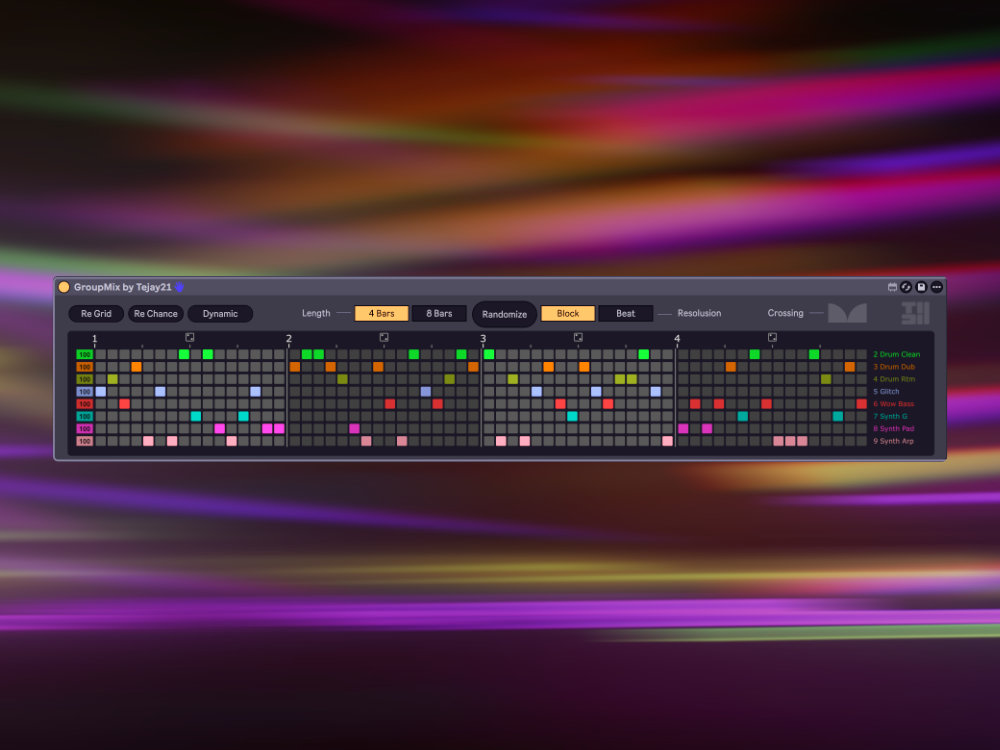
GroupMix is a Beat Repeat alternative for Ableton Live that brings beat-level track switching to Group Tracks. Paint a visual grid to freely collage sub-tracks, instantly creating endless rhythmic combinations - with real-time playback and Bounce output that match perfectly.

01 / Action

See it in action

Watch the grid playhead move, randomize a bar, and hear the arrangement change in real time.

02 / Why

Why GroupMix

One of a Kind There's virtually nothing like it in the M4L ecosystem. A Beat Repeat alternative built for beat-level track switching and creative arrangement - not an effect, not a sampler, but a whole new way to arrange.
Instant Results Drop it on a Group Track, roll the dice a few times, hit play. Chance weights, Crossfade, and Dynamic mode make randomization musical, not mindless.
What You Hear Is What You Bounce Built on a signal-rate engine, Export and Bounce output is identical to real-time playback. Many M4L devices can't do this - GroupMix can.
03 / Features

Features

The visual grid is the heart of GroupMix. Each column is a time step, each row maps to a sub-track. Click or drag to paint your rhythmic arrangement.

64-Step Rhythmic Grid 4 Bars mode -> 16th-note resolution (64 steps). 8 Bars mode -> 8th-note resolution (64 steps). Alternating bar shading for clear orientation, with a real-time playhead highlight.
Smart Randomization Global Randomize shuffles the entire grid. Per-bar Randomize targets a single bar via its own dice icon. Dynamic Mode auto-randomizes at every bar boundary during playback. Block / Beat Granularity sets per-step vs per-beat resolution.
Chance Weights Six levels per track: 0 / 20 / 40 / 60 / 80 / 100. Drag the left column to bias randomization. Chance = 0 means that track is never selected.
Crossfade Transitions Exponential mapping: fine control at low values, sweeping blends at high values. Automation-ready in Live's automation lane. Constant total volume during crossfades - zero sudden level jumps.
Control Mode (Fader / Mute) Fader mode (default) switches via volume automation with Crossfade - fully Bounce / Export compatible. Mute mode switches via track mute for MIDI signal routing when volume has no effect. Mute mode is for live performance and creative sessions only - not compatible with Bounce / Export.
Lock Row Pin rows with the lock icon on the right. Locked rows stay untouched during all Randomize operations. Manual grid editing is unaffected by locks.
Solo Preview Press and hold any sub-track label to instantly solo-preview that track. Drag across labels to audition different tracks on the fly. Release to restore normal playback.

04 / Use cases

Creative use cases

Drum Pattern Remixing Place different drum patterns on sub-tracks - original, variation, fill, half-time. GroupMix collages them beat by beat, delivering a fresh groove every time you hit play.
Melodic Variations Same chord progression, four different arrangements. Let GroupMix switch between piano, synth, strings, and pad - instant arrangement inspiration.
Ambient Textures Turn on Dynamic mode with a long Crossfade, and let ambient layers slowly evolve. Each bar automatically blends into new textures - perfect for long, atmospheric buildups.
05 / Engine

Under the Hood

GroupMix uses a signal-rate engine (plugsync~ -> buffer~ -> index~ -> live.remote~) to control sub-track volumes at the audio thread level.

  • Export / Bounce compatible - plugsync~ continues outputting transport position during offline rendering (Fader mode)
  • Dual Control Mode - Fader mode (volume automation) for audio, Mute mode (track mute) for MIDI signal routing
  • Zero latency - pure signal-rate switching, independent of the JS real-time clock
  • Multi-instance isolation - #0 patcher prefix auto-isolates buffers; multiple GroupMix devices in the same Set won't conflict
  • Full persistence - grid layout, weights, and Crossfade are stored as Live Parameters, embedded in the .als file
  • Fader vs Mute - Fader bounce works offline; Mute is live-only
06 / Ideal for

Ideal for

  • Drum remixing - collage patterns beat by beat
  • Melodic variations - switch piano, synth, strings, pad
  • Ambient textures - Dynamic mode with long Crossfade
07 / Specs

At a glance

  • Grid4 Bars (16th) / 8 Bars (8th) - 64 steps
  • Sub-tracksUp to 8
  • RandomizeGlobal / Per-bar / Dynamic
  • GranularityBlock (per step) / Beat (per beat)
  • Crossfade0 -> full bar, exponential curve, automatable
  • LockPer-track lock, survives all randomize ops
  • SoloHold-to-preview with drag switching
  • ControlFader (bounce) / Mute (MIDI live)
  • ExportFader: 100% bounce-compatible; Mute: live only
  • Multi-instanceAuto-isolated, zero config
08 / Requirements

Requirements

  • Ableton Live 12.2 or later with Max for Live (Suite, or Standard + Max for Live)
  • Place on a Group Track with 2-8 sub-tracks
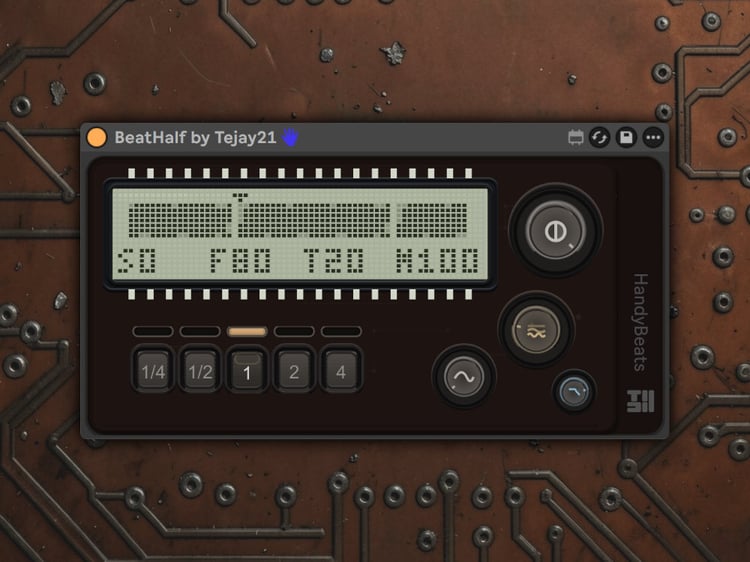
See BeatHalf